

Build — Cowork Skill Package
A controlled, repeatable on-demand dashboard assistant for Software Asset Management — Cowork deployment
Purpose
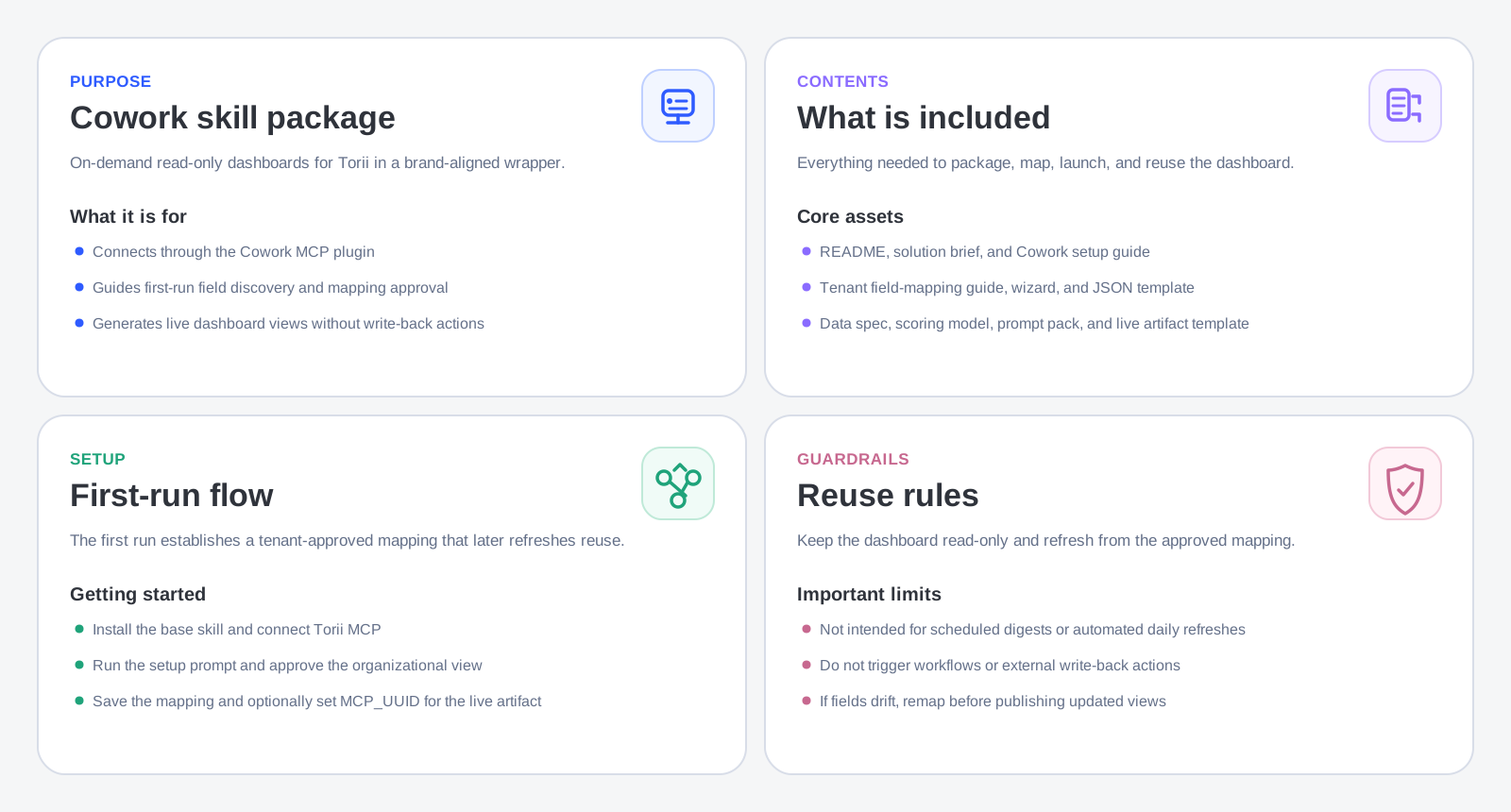
This package is the on-demand delivery layer for the shared read-only SaaS rationalization dashboard on the Cowork surface. To get the assets for this package, please contact your Torii Customer Success Manager.
Not using Cowork? The equivalent on-demand experience is available on other surfaces without this package: use a Claude.ai Project with the dashboard instructions pasted into the custom Instructions field, or a Claude Code project with a
CLAUDE.mdcontext file. See the Build — Base Dashboard Skill article and the Choose article for guidance on those paths.
Use this package when you specifically need a Cowork Skill deployment that can:
- Connect to Torii through the Cowork MCP plugin
- Guide users through first-run field discovery using the
saas-rationalization-dashboardskill - Help approve a tenant-specific mapping
- Generate a read-only dashboard on demand — conversational text or live Cowork sidebar artifact
- Reuse the approved mapping for future refreshes
This package is for the on-demand Cowork delivery layer, not the shared dashboard logic layer.
What this package depends on
This package assumes two things already exist:
- Claude is connected to Torii through MCP in the Cowork environment.
- The shared read-only dashboard skill (
saas-rationalization-dashboard) is installed or enabled.
Torii's MCP server URL is https://api.toriihq.com/mcp. Authentication is OAuth. The connection is completed through the Cowork plugins or connectors panel.
This package does not replace that connection. It packages the customer experience on top of it.
What this package contains
customer-cowork-skill-package/
├── README.md
├── 01-solution-brief.md
├── 02-cowork-skill-setup-guide.md
├── 03-tenant-field-mapping-guide.md
├── 04-business-user-field-mapping-wizard.md
├── 05-tenant-mapping-template.json
├── 06-dashboard-data-spec.md
├── 07-scoring-and-recommendation-model.md
├── 08-read-only-dashboard-rules.md
├── 09-business-user-prompt-pack.md
└── 10-react-dashboard-template.jsx
What each file is for
README.md
README.mdPackage overview. Explains the Cowork packaging model and the key difference from the ChatGPT equivalent: in Cowork, the skill itself is the packaging layer — no separate Custom GPT wrapper is needed. Also documents the recommended setup sequence and the live artifact advantage.
01-solution-brief.md
01-solution-brief.mdCustomer-facing solution summary. Covers why SaaS rationalization matters, how Claude and Torii MCP work together, the live artifact advantage (data pulled at render time, persists in sidebar), and both deployment options (on-demand Cowork Skill and Scheduled Skill).
02-cowork-skill-setup-guide.md
02-cowork-skill-setup-guide.mdThe main deployment guide for this package. Covers:
- Connecting the Torii MCP plugin in Cowork
- Completing OAuth authentication
- Finding your MCP UUID
- Enabling the
saas-rationalization-dashboardskill - Validating the connection
- Running the first-use setup prompt
- Completing the tenant field mapping
- Saving the approved mapping
- Generating the first dashboard (conversational and live artifact options)
- Configuring the live artifact UUID
- Validating output with stakeholders
- Refreshing for subsequent sessions
- A full troubleshooting section
- A deployment checklist
03-tenant-field-mapping-guide.md
03-tenant-field-mapping-guide.mdHow to map tenant-specific Torii fields into the dashboard schema. Covers all seven mapping categories and the recommended discovery-to-approval workflow.
04-business-user-field-mapping-wizard.md
04-business-user-field-mapping-wizard.mdThe first-run guided workflow for a business user. Walks through read-only scope confirmation, field discovery, Organizational View selection, functional grouping, usage and financial confirmation, mapping review, and saving the approved configuration.
05-tenant-mapping-template.json
05-tenant-mapping-template.jsonThe reusable JSON structure for saving the approved tenant mapping. Includes the mcpUUID field and a note that expense fields (expenses, expensesLast30Days) are in cents — divide by 100 for USD display. Use this for all future refreshes.
06-dashboard-data-spec.md
06-dashboard-data-spec.mdThe normalized dashboard output schema. Documents the live data model for Cowork artifacts, including which MCP tools are used and how raw MCP responses are mapped into the normalized schema at render time.
07-scoring-and-recommendation-model.md
07-scoring-and-recommendation-model.mdThe recommendation and scoring logic. Keeps overlap findings, review candidates, and priority labels consistent. All outputs are advisory.
08-read-only-dashboard-rules.md
08-read-only-dashboard-rules.mdThe operating guardrails. Defines allowed and disallowed behavior and required language patterns for advisory outputs.
09-business-user-prompt-pack.md
09-business-user-prompt-pack.mdReady-to-use prompt patterns for business users: setup, dashboard generation, live artifact generation, drilldowns, explanations, exports, and refresh.
10-react-dashboard-template.jsx
10-react-dashboard-template.jsxThe live-data Cowork artifact template. Uses window.cowork.callMcpTool to fetch live Torii data at render time.
UUID configuration required. Set MCP_UUID near the top of the file to your Torii MCP server UUID. The artifact displays a clear guided error with instructions if the UUID is still the placeholder.
What this package is for
This package is for a use case that needs:
- A named, consistent on-demand dashboard experience
- A guided setup flow for business users
- A reusable read-only dashboard that refreshes by reopening the artifact or re-running the refresh prompt
- Stronger behavioral consistency than plain Claude alone
- A foundation the Tier 3 Scheduled Skill can be layered on top of later
This is the right package when the question is "Can we build a reusable dashboard?" — not yet "Can we schedule it?"
What this package is not for
This package is not for:
- Scheduled refreshes
- Daily digests
- Recurring review jobs
- Background-style monitoring
Those belong in the Tier 3 Scheduled Skill package.
This package also does not include the shared base skill. It expects the saas-rationalization-dashboard skill to already be available.
Exact prerequisites
Before using this package, confirm:
- The shared base skill (
saas-rationalization-dashboard) is installed or enabled. - Claude is connected to Torii through MCP.
- The Torii connector is working (validated with test prompts).
- The connected Torii account has sufficient visibility for portfolio analysis.
- The deployment is explicitly read-only.
Exact first-run flow
- Install or enable the shared base skill.
- Connect Claude to Torii through MCP.
- Validate the MCP connection.
- Run the first-use setup prompt.
- Discover app, user, and contract fields.
- Run the business-user mapping wizard.
- Approve the Organizational View.
- Approve functional grouping and supporting fields.
- Save the approved mapping to
05-tenant-mapping-template.json. - Generate the first dashboard.
- Validate with business stakeholders.
- Optionally generate the live Cowork artifact and configure the UUID.
First-use setup prompt
Set up a SaaS rationalization dashboard for this Torii tenant. Discover the available
app, user, and contract fields, recommend a field mapping, and guide me through approving
the Organizational View and Functional Capability fields. Operate read-only.
Refresh prompt
Refresh the SaaS rationalization dashboard using the approved tenant mapping.
Keep the output read-only and show any field drift or missing data.
Live artifact prompt
Generate the SaaS rationalization dashboard as a live interactive Cowork artifact
using the approved tenant mapping. Pull live data from the connected Torii MCP.
Exact repeat-run flow
After initial setup:
- Open a Cowork session with the Torii MCP connected.
- Invoke the
saas-rationalization-dashboardskill. - Run the refresh prompt referencing the approved mapping.
- Review any field drift or missing-data warnings.
- Analyze the updated dashboard.
- Ask follow-up questions using
09-business-user-prompt-pack.md. - Reopen the live artifact for updated data.
Business-user experience
- User opens a Cowork session with the Torii MCP connected.
- User invokes the
saas-rationalization-dashboardskill. - Skill discovers available Torii fields.
- Skill recommends mappings in business-friendly language.
- User approves the Organizational View and functional grouping.
- Skill generates the read-only dashboard — conversational output or live artifact.
- User explores the dashboard and asks follow-up questions using the prompt pack.
- User reopens the live artifact in the sidebar for refreshed data on subsequent visits.
What this package must never do
Even though Torii MCP can expose action capabilities:
- Do not update Torii records.
- Do not trigger workflows.
- Do not create contracts.
- Do not remove licenses.
- Do not modify ownership.
- Do not perform write-back automation.
Troubleshooting
The skill keeps asking to remap fields every time. The tenant mapping was not saved cleanly. Ensure it is saved using the JSON structure in 05-tenant-mapping-template.json and referenced explicitly in the refresh prompt.
The live artifact shows a configuration error. Set MCP_UUID in the artifact source to your actual Torii MCP server UUID as described in 02-cowork-skill-setup-guide.md.
The live artifact loads but some sections are empty. Check that the relevant fields (expenses, license utilization, contract end dates) are populated in your Torii tenant.
The skill uses the wrong drilldown field. Re-run the mapping workflow and explicitly confirm the approved Organizational View.
The skill produces inconsistent group labels. Update the normalization rules in the tenant mapping and regenerate the dashboard.
The skill offers actions. Keep the skill instructions explicitly read-only. Torii MCP may expose action capabilities — decline any write-back suggestions.
Final checklist
- Shared base skill installed or enabled
- Claude connected to Torii MCP
- MCP connection validated
- First-use setup prompt executed
- Tenant field mapping completed and saved
- Organizational View approved
- First dashboard generated and validated by stakeholders
-
MCP_UUIDconfigured in live artifact (if using interactive artifact) - Business users have
09-business-user-prompt-pack.md - Future refreshes reuse the approved mapping
- Field drift surfaces clearly
- No write-back behavior allowed
Updated 6 months ago